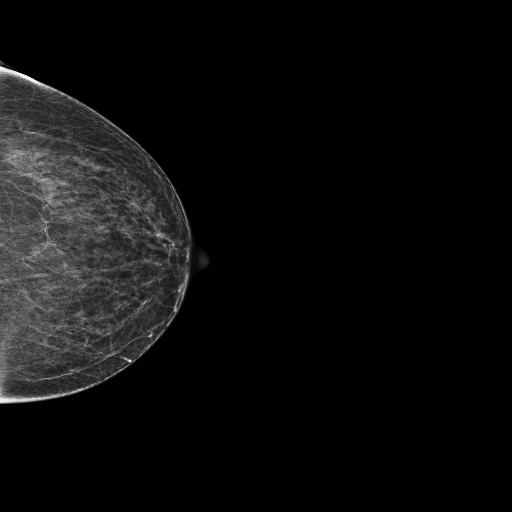
Research-grade breast cancer detection across two modalities — histopathology and mammography — with explainable AI. Upload a tissue patch or a mammogram and receive a prediction, a spatial heatmap, and a natural-language report in seconds.
Histopathology module
88.0%
Test accuracy
87.5%
Sensitivity
Mammography module
0.8443
Patient-level AUC
SCAN VIEWER
Histopathology
Histopathology · H&E patch
Mammography
Mammography · DICOM view
SAMPLE RESULT — ILLUSTRATIVE
PREDICTION
⚠ MALIGNANT
CONFIDENCE
0.94
Platform capabilities
Two detection modules, one explainable platform
Histopathology module
DenseNet-121
~7.2M-parameter CNN fine-tuned on 220K deduplicated PCam H&E tissue patches.
StainJitter (H&E)
Stain augmentation in HED colour space, reducing lab-specific staining overfitting.
Sensitivity-first
Checkpoints selected by validation sensitivity — tuned to catch malignant patches.
Mammography module
EfficientNet-B4 ensemble
Three EfficientNet-B4 models (seeds 42 / 123 / 999) trained on RSNA data, averaged at inference.
DICOM + VOI LUT
Native DICOM loading with VOI-LUT windowing. Also accepts PNG, JPG and TIFF.
BI-RADS scoring
Suggested BI-RADS category (2–5) from malignancy probability. Radiologist confirmation required.
Shared platform layers — both modules
Grad-CAM heatmaps
Spatial attention maps showing which regions drove each prediction.
LLM explanation
FLAN-T5 / BioMedLM / Llama 3.2 reports in clinician, researcher or patient modes.
Chat assistant
Ask follow-up questions about any result, in clinician, researcher or patient mode.
Confidence scores
Calibrated probability scores with raw logits and decision margin.
How it works
From scan to report in five steps
1
Upload a scan
Histology patch (PNG / JPG / TIFF) or mammogram (DICOM / PNG) — drag and drop onto the dashboard
2
AI detection
Routed by modality — DenseNet-121 for histology patches, the EfficientNet-B4 ensemble for mammograms
3
Grad-CAM overlay
Spatial heatmap generated showing the regions that drove the prediction
4
LLM explanation
Audience-tailored natural language report
5
Chat and review
Ask follow-up questions in the inline chat assistant
Analysis dashboard
Upload a histopathology patch to run the full pipeline
Audience:
▶Patient record (optional — improves chat responses)
📤
Drop a histopathology patch here
PNG · JPG · TIFF · BMP
🌡
Grad-CAM overlay
Run analysis first
Mean activation
—
Peak activation
—
📊
Raw heatmap
Greyscale activation map
🤖
Upload a scan and click Analyse
Results appear here
AI prediction
Confidence
Logit · benign
—
Logit · malignant
—
LLM explanation
template
Spatial analysis
🤖
AI assistant — ask follow-up questions about this scan
Automatic BI-RADS category suggestion (2–5) based on malignancy probability. Requires radiologist confirmation.
DICOM support
Native DICOM (.dcm) loading with VOI LUT windowing. Also accepts PNG, JPG, and TIFF formats.
Research & educational use only.
This EfficientNet-B4 ensemble (0.84 AUC, ~70% sensitivity / ~82% specificity on RSNA validation) is a research prototype — not a medical device and not a diagnosis. All outputs must be reviewed by a qualified radiologist.
Try a sample — click to analyse
Cancer case
Benign case
🤖
AI radiology assistant
DenseNet-121 · FLAN-T5 · Grad-CAM
Quick topics
› DenseNet-121 architecture
› StainJitter augmentation
› OneCycleLR scheduler
› PCam deduplication
› Mixup augmentation
› Training improvements
Connect live scan
Run an analysis in the dashboard first, then return here to ask questions about that specific scan.
Model card
Architecture, datasets & methodology
Histopathology module
DenseNet-121 backbone
~7.2M-parameter CNN pretrained on ImageNet. Dense-block feature reuse across layers. Custom head: BN→Dropout(0.4)→Linear(1024→256)→ReLU→BN→Dropout(0.3)→Linear(256→2).
PatchCamelyon (PCam)
H&E patches from Camelyon16 slides. After MD5 deduplication: 220,025 unique samples (benign 130,908 / malignant 89,117 → pos_weight 1.469). Patient-disjoint train / val / test splits.
Breast-ROI cropping reduced AUC (~0.14 drop, aspect-ratio distortion); adding external CBIS-DDSM data hurt (film-vs-digital domain shift). The un-cropped, RSNA-only ensemble is final.
Shared layers — both modules
Grad-CAM explainability
Gradients backpropagated w.r.t. the predicted class at the final conv block → global-average-pooled channel weights → weighted feature sum → ReLU → bilinear upsample to input resolution.
LLM explanation layer
FLAN-T5-large / BioMedLM / Llama 3.2 with a deterministic template engine. Three audience modes (clinician, researcher, patient) with genuinely different content.